Filters decide what a report covers: which Seasons, which Events, which wrestlers, which matches. Set them once per report; Takedown remembers them on this iPad.
Using filters
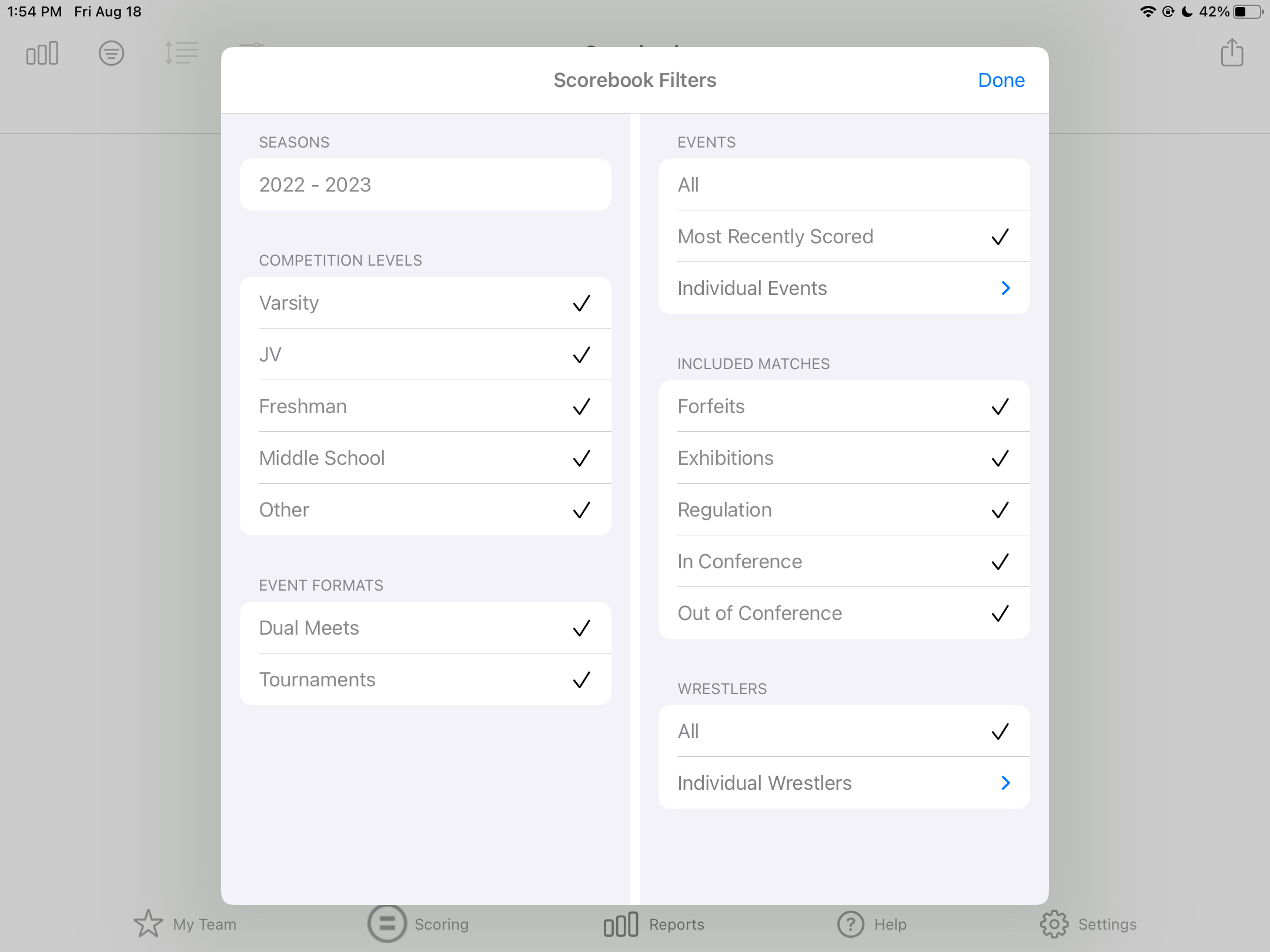
- In Reports, choose a report, then tap the Filter icon.
- Each row shows a filter and its current setting. Tap a row to change it.
- Tap Done. If a required filter is empty, Takedown says Incomplete Filters and tells you which one.
The filters
| Filter | Choices | Notes |
|---|
| Seasons | One or more Seasons | Select several for a career report. |
| Styles | Folkstyle, Freestyle | Default is Folkstyle only. Nothing selected means any style. |
| Competition Levels | Varsity, JV, Freshman, Middle School, Youth, Other | High school and youth teams only. Nothing selected means any level. Youth isn't selected by default, so check it for youth Events. |
| Event Formats | Dual Meets, Tournaments | Dual Meets includes dual meet tournaments. Nothing selected means any format. |
| Events | All, Most Recently Scored, Selected | Selected opens the list of Events, with Select All and Clear. |
| Included Matches | Regulation, Exhibitions, Forfeits, In Conference, Out of Conference | At least one of In Conference and Out of Conference must stay checked. |
| Date Range | This Week, Last Week, This Month, Last Month, Season To Date | Practice Attendance and Weight Management only. |
| Wrestlers | All, Selected | Selected opens the roster, with Select All and Clear. |
| Roster | Team Roster, Selected Events | Roster report only: list the whole roster or only wrestlers entered in chosen Events. |
Which reports have which filters
| Report | Filters |
|---|
| Scorebook, Box Score, Scoring Details, Match Points, Short Time, Shot Success Rate, Win/Loss Record, Wrestler Profile, Leaderboard, Seeding Meeting | Seasons, Styles, Competition Levels, Event Formats, Events, Included Matches, Wrestlers |
| Riding Time | The same, without Styles (folkstyle only) |
| Practice Attendance, Weight Management | Seasons, Date Range, Wrestlers |
| Equipment Tracking | Seasons, Wrestlers |
| Schedule | Seasons, Styles, Competition Levels, Event Formats |
| Roster | Seasons, Roster |
Stats against conference opponents
- Tap My Team > Opponent Teams, tap a team, tap Edit, turn on In Conference Team, tap Done. Repeat for each conference opponent.
- In any match report, tap Filter > Included Matches, leave In Conference checked and uncheck Out of Conference.
Good to know
- Filters are per report: changing Scorebook's filters doesn't touch Box Score's.
- Filters are per iPad. They aren't synced to your other iPads.
- Reset every report's filters, sort and options with Settings > Reports > Reset Report Filters, Sort and Options.
Comments
0 comments
Article is closed for comments.